Booking Made Simple: From Scheduling to Service
Tired of managing calls, spreadsheets, and scheduling conflicts? With our Smart Queue System, you get a streamlined solution that handles everything from customer bookings to final check-ins.
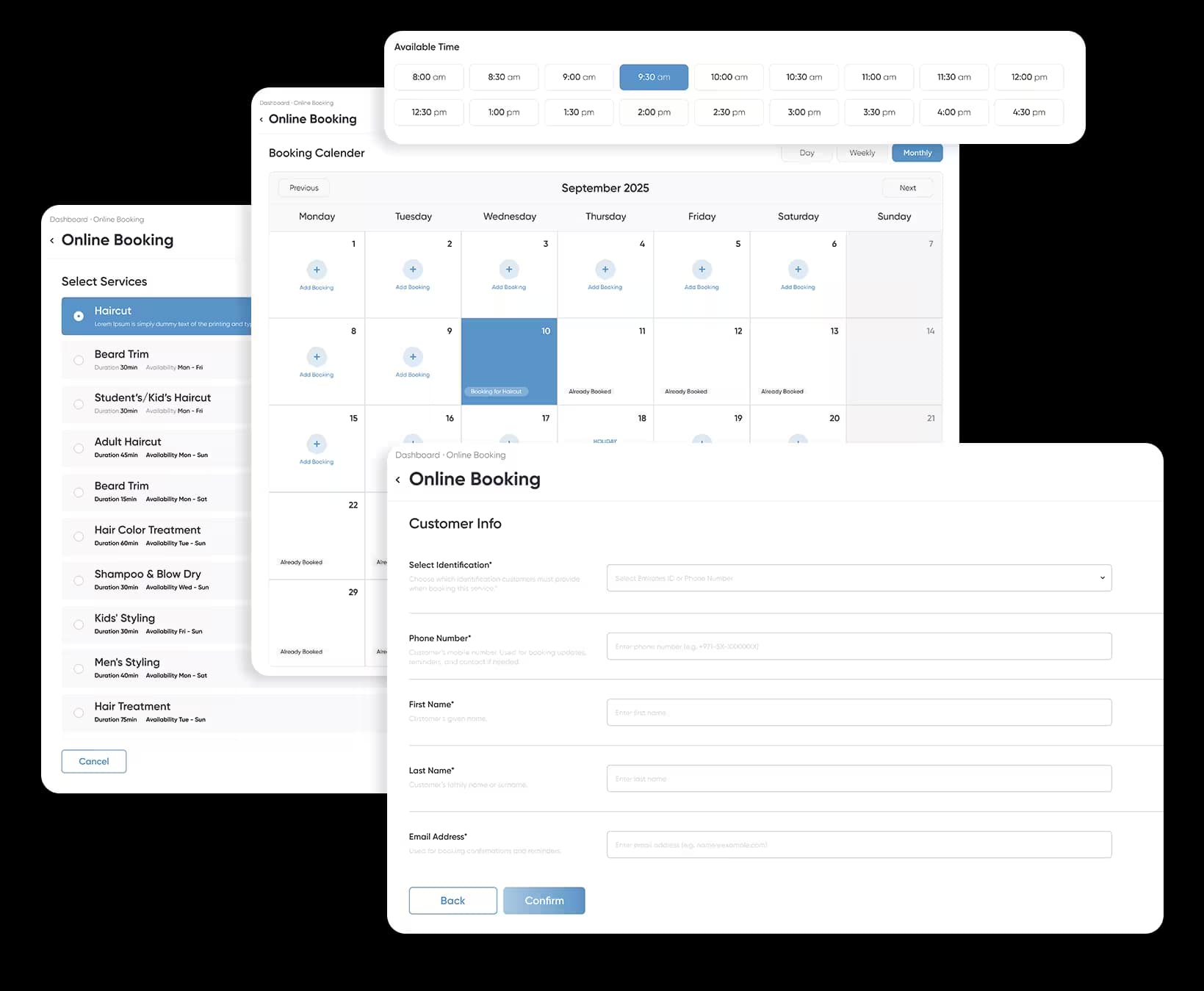
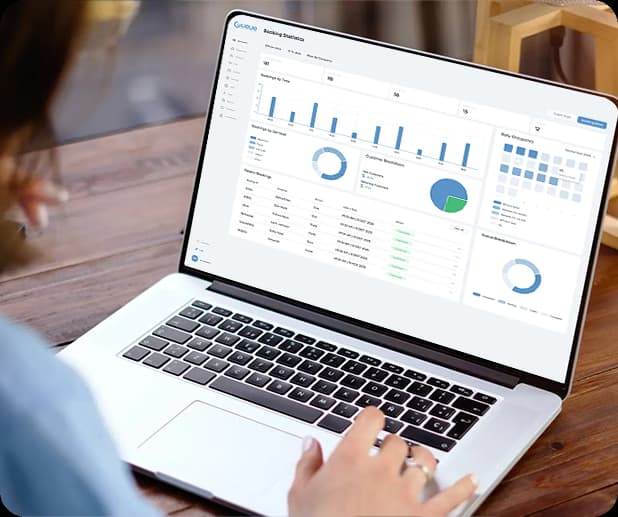
Seamless Booking & Organized Service Flow
Give your staff and customers a smooth scheduling experience. With a powerful booking dashboard and real-time tracking, you can ensure bookings are managed efficiently, wait times are minimized, and every customer enjoys a hassle-free journey.
Maintain Smooth Workflow
Booking Process Made Simple
Managing bookings has never been easier. With our booking system, customers move through a smooth step-by-step process while your team stays in full control. From selecting a service to receiving reminders, everything is automated for efficiency and convenience.
1. Select Service
Customers browse and choose from the services you offer, ensuring they find exactly what they need.
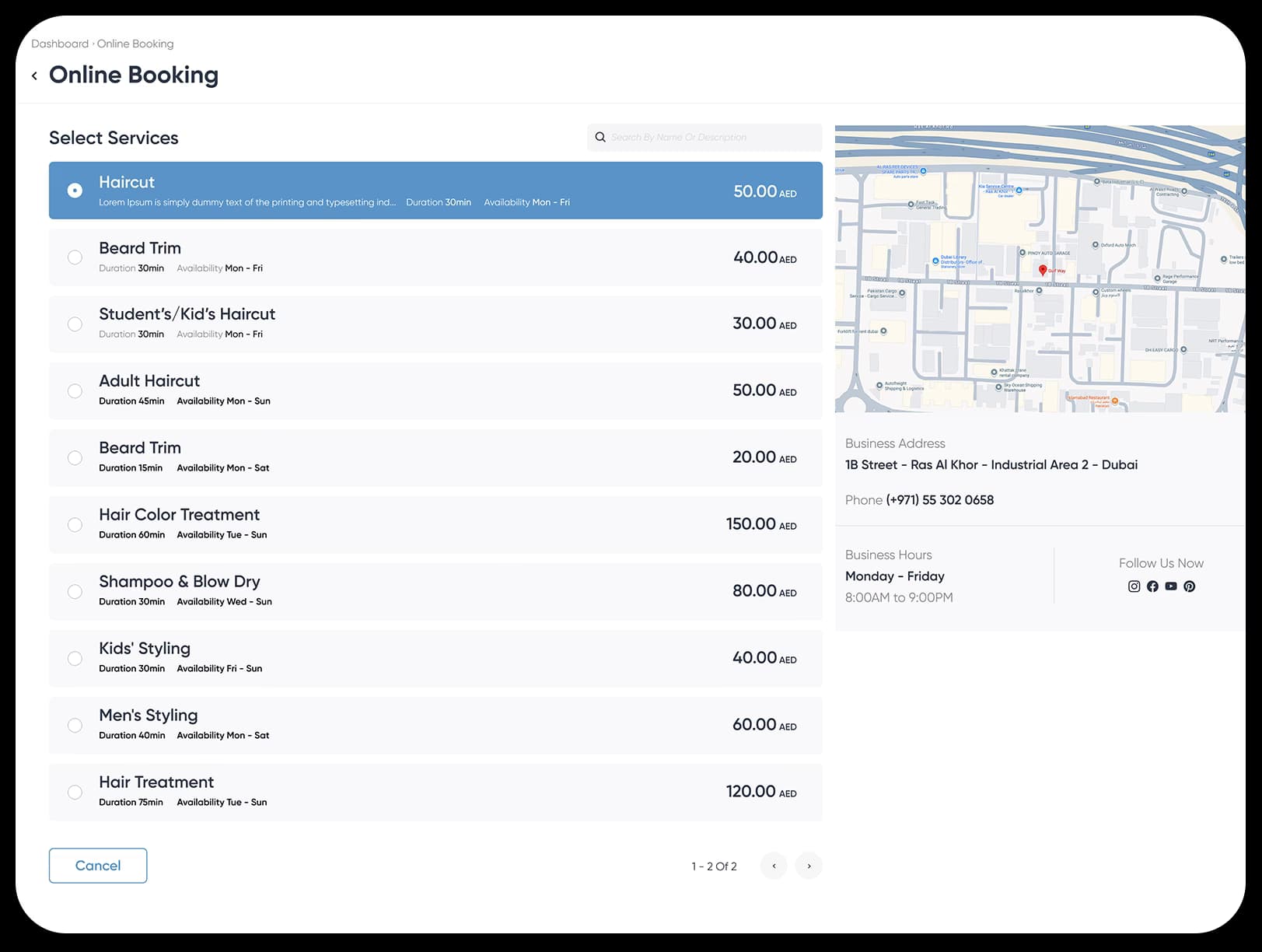
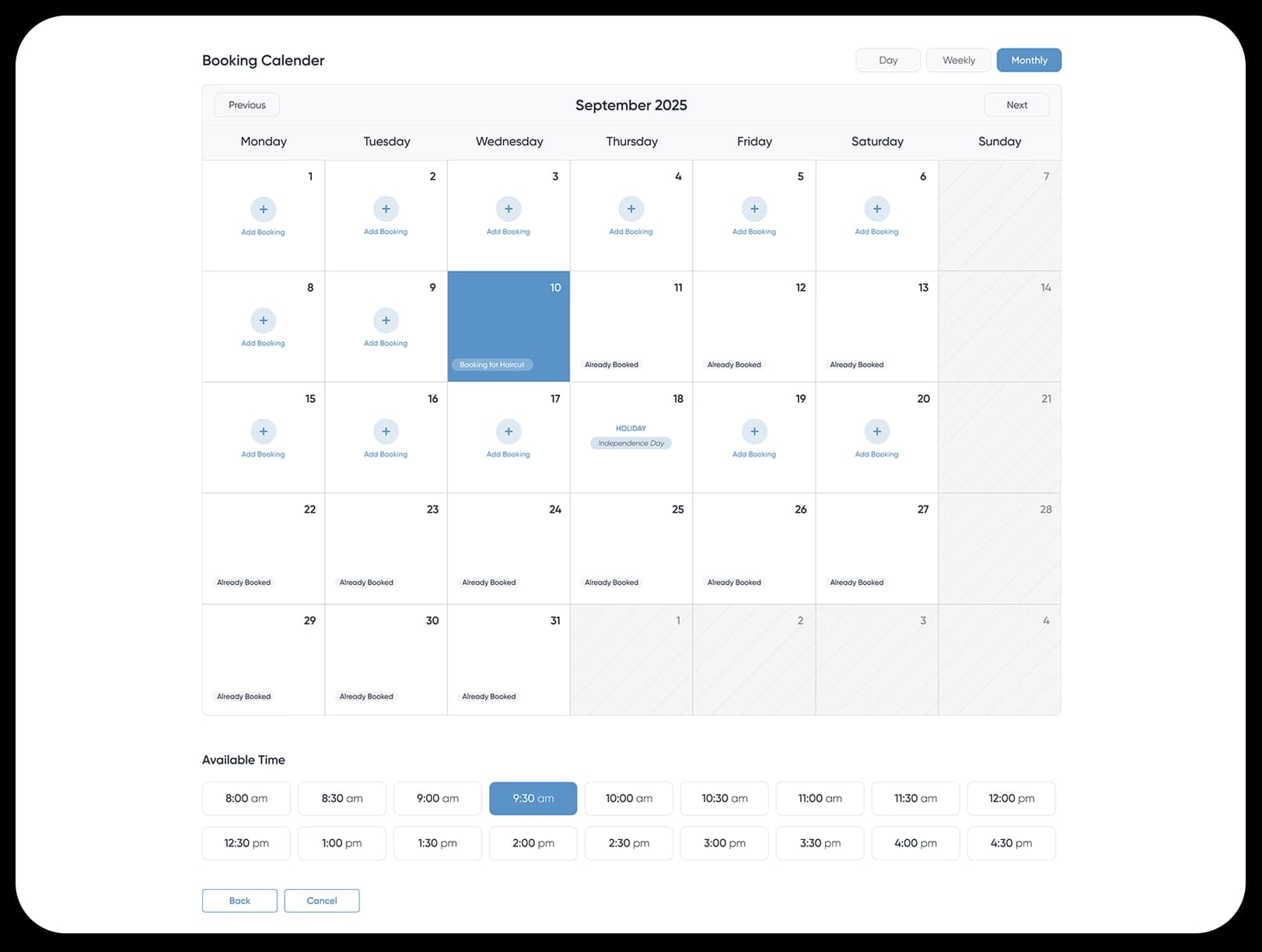
2. Pick Date & Time
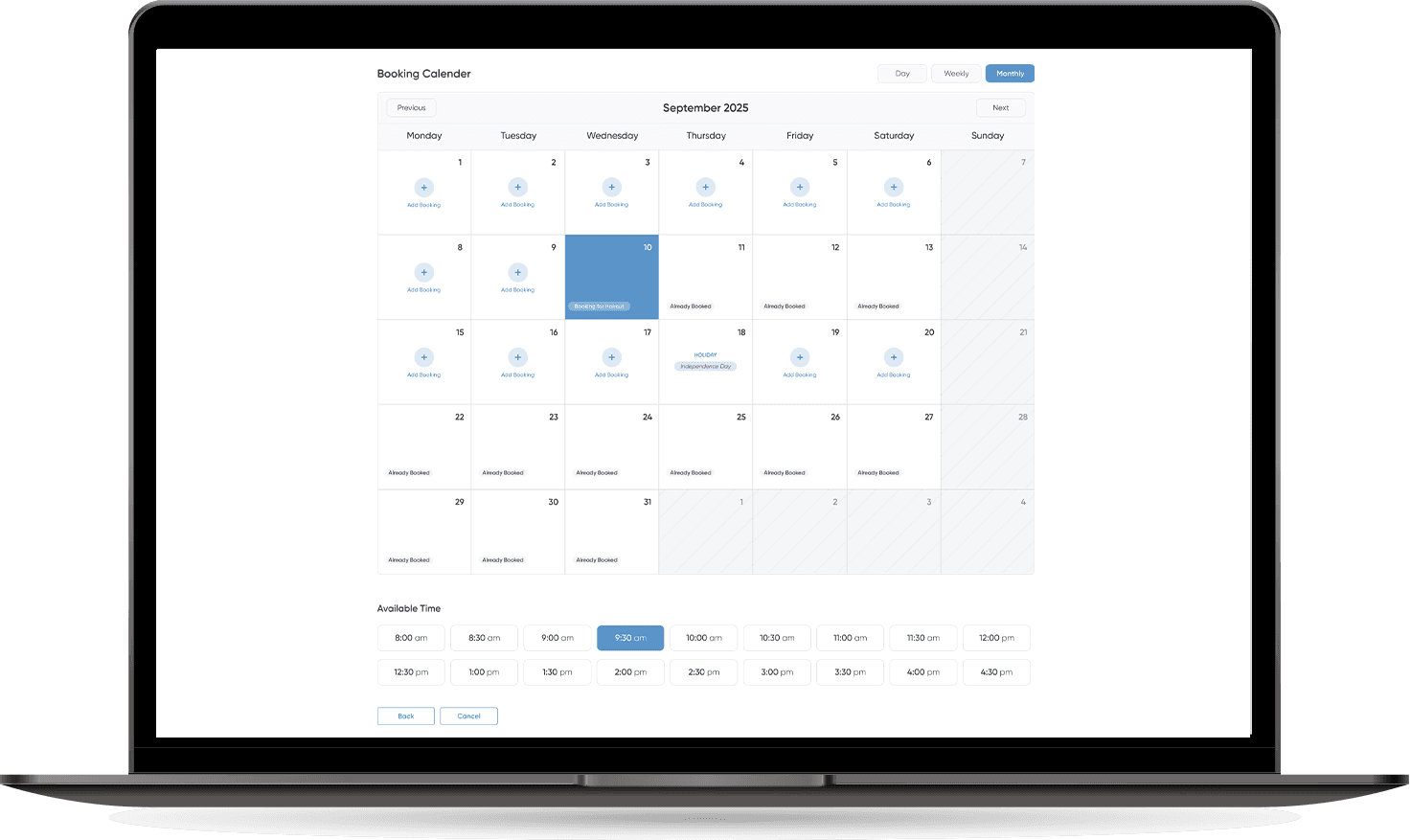
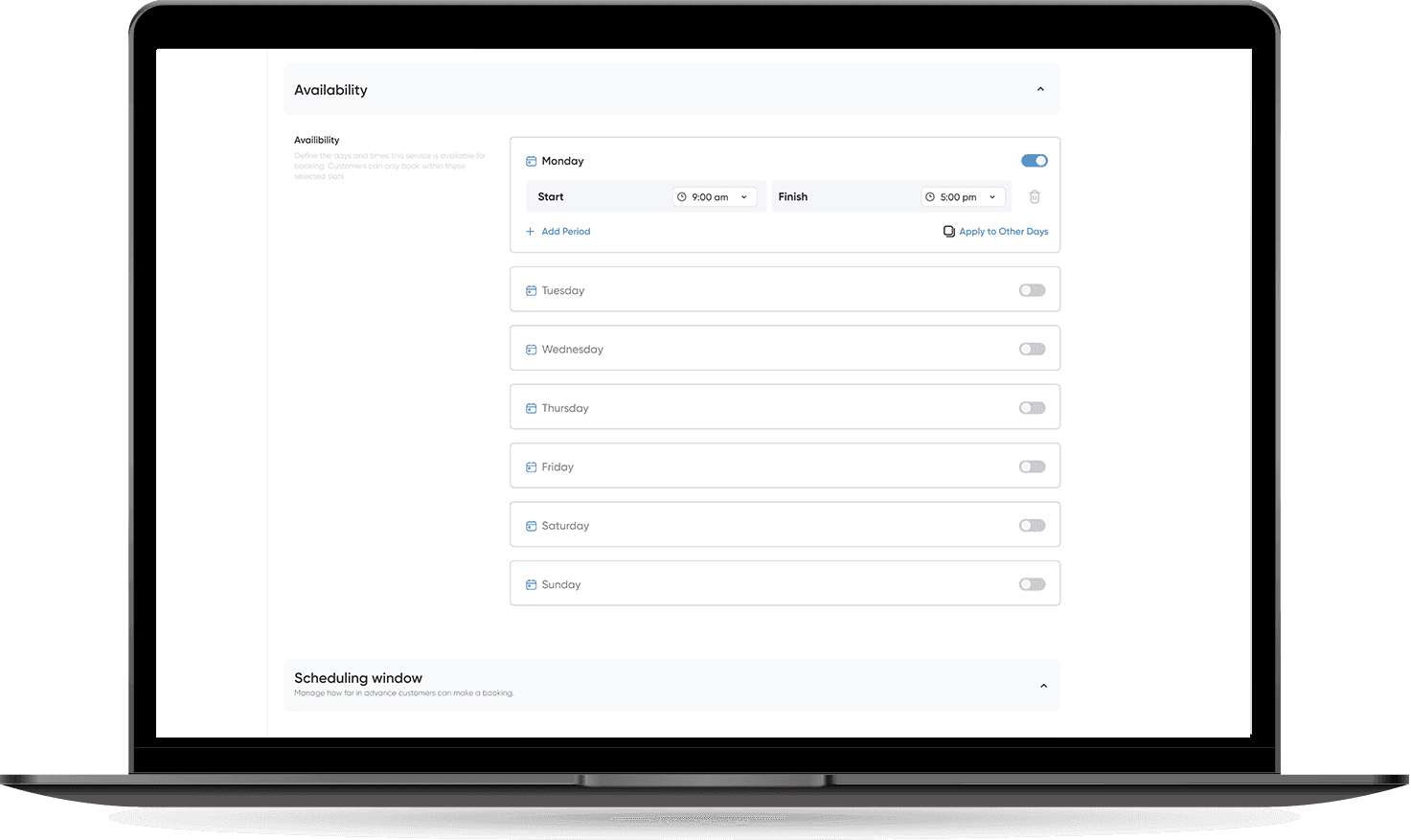
The system displays available slots based on your office hours and capacity, so clients can easily pick a suitable time.
3. Fill in Details
Customers enter their contact details and any additional information required, giving you everything you need upfront.
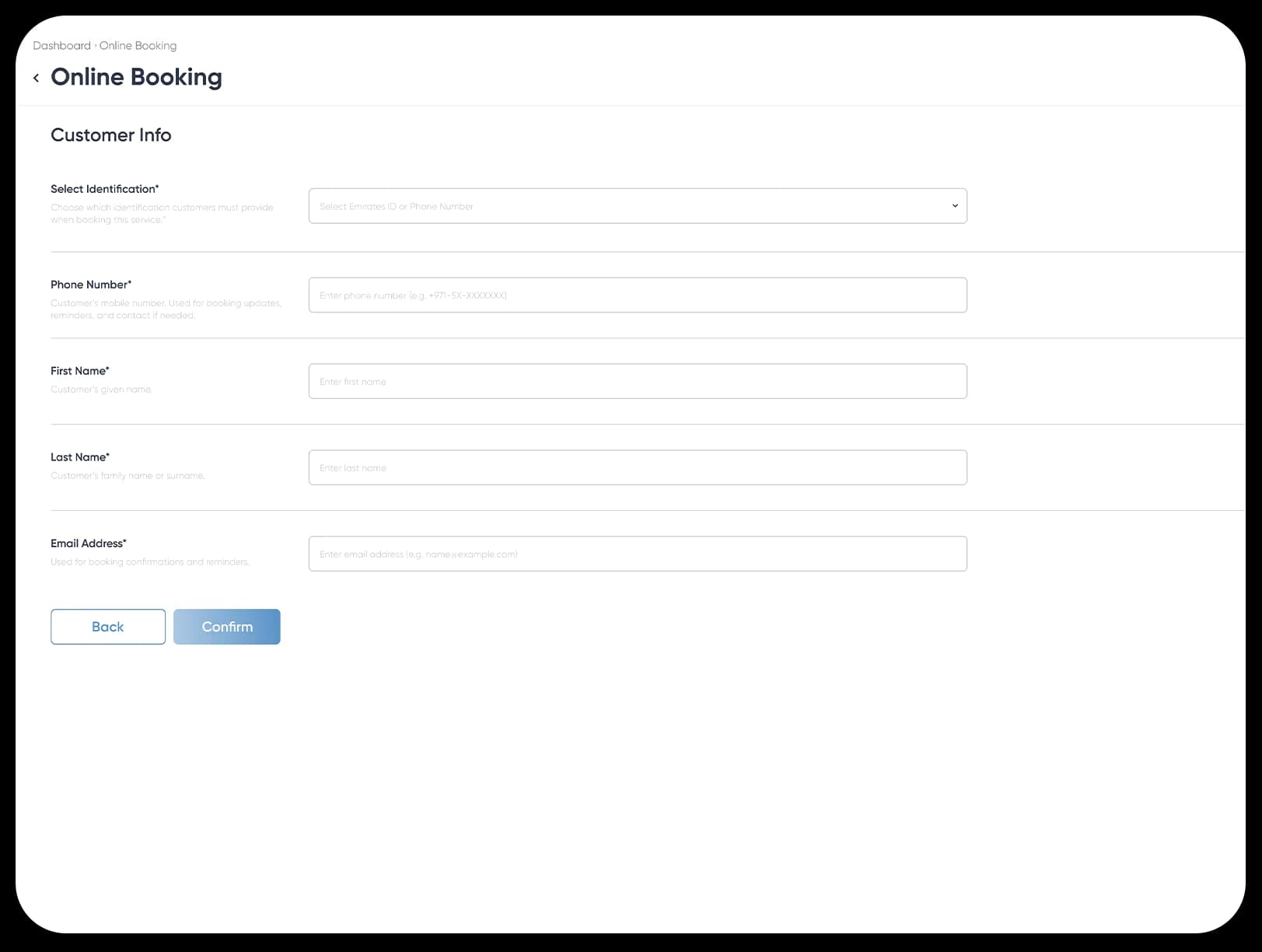
4. Booking Confirmed
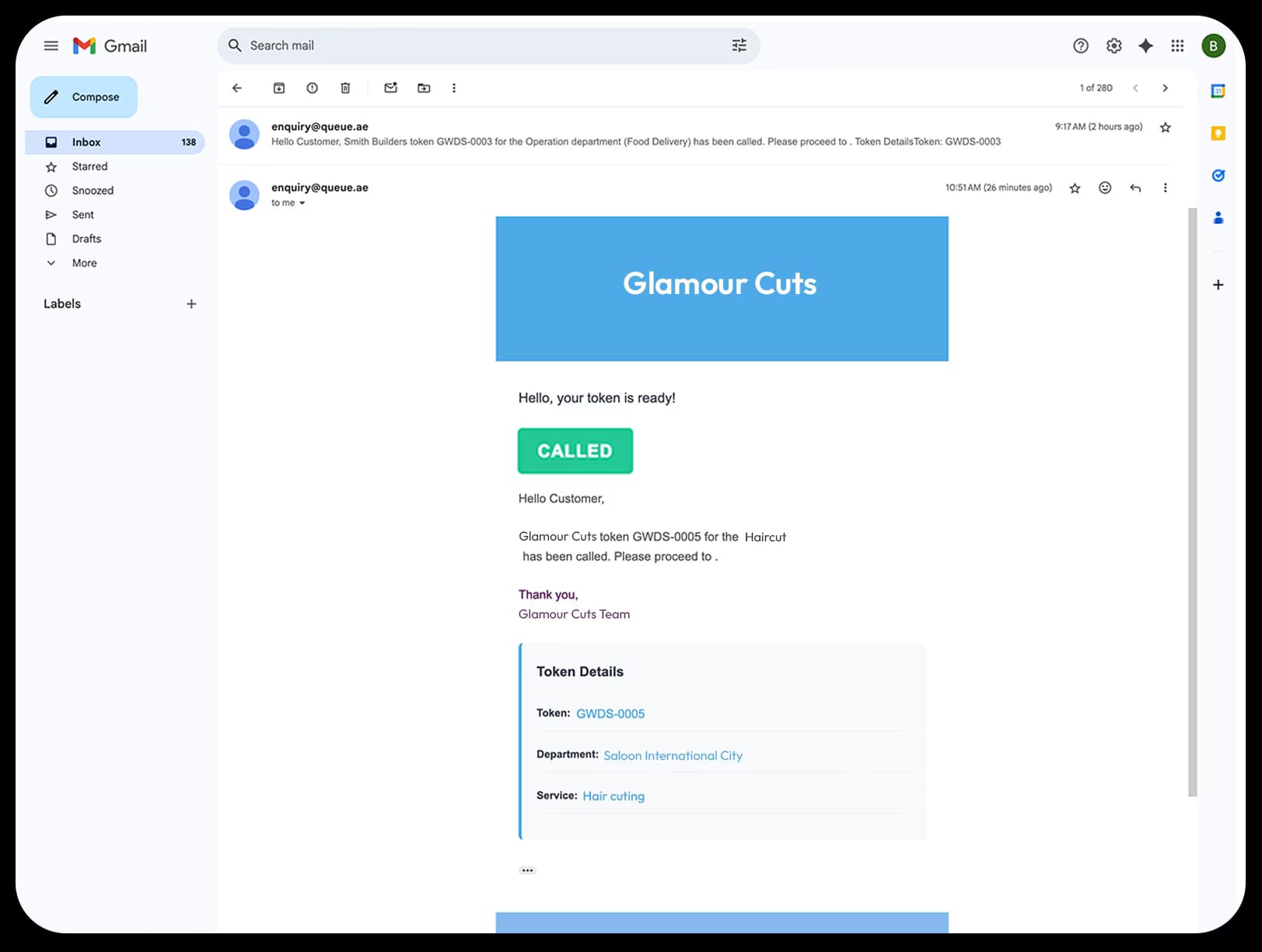
Once submitted, the booking is instantly confirmed with automated notifications sent via email and WhatsApp.
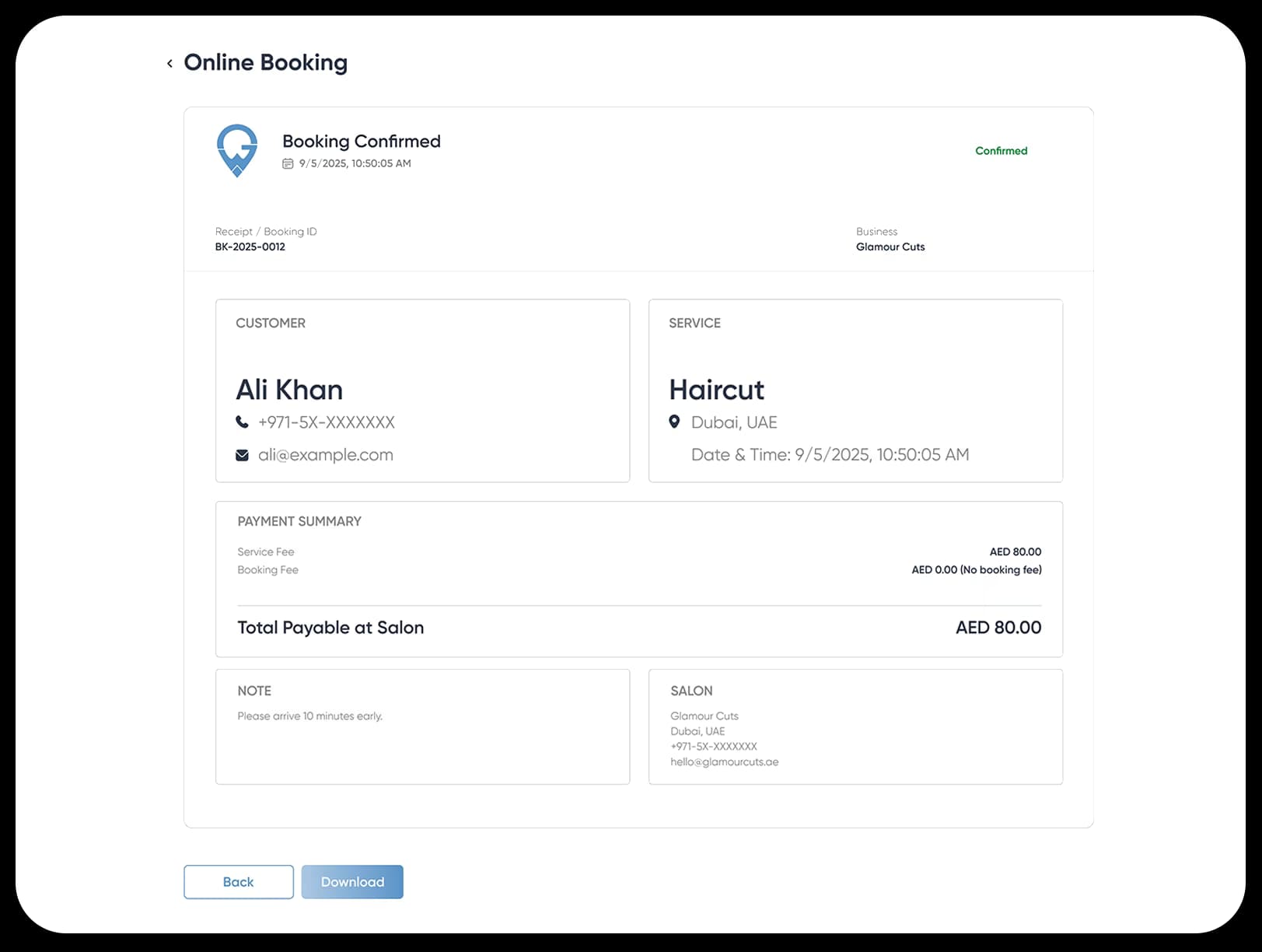
5. Stay Updated
Customers receive reminders before their booking along with real-time updates if anything changes, helping reduce no-shows and confusion.
Key Benefits of the Booking System
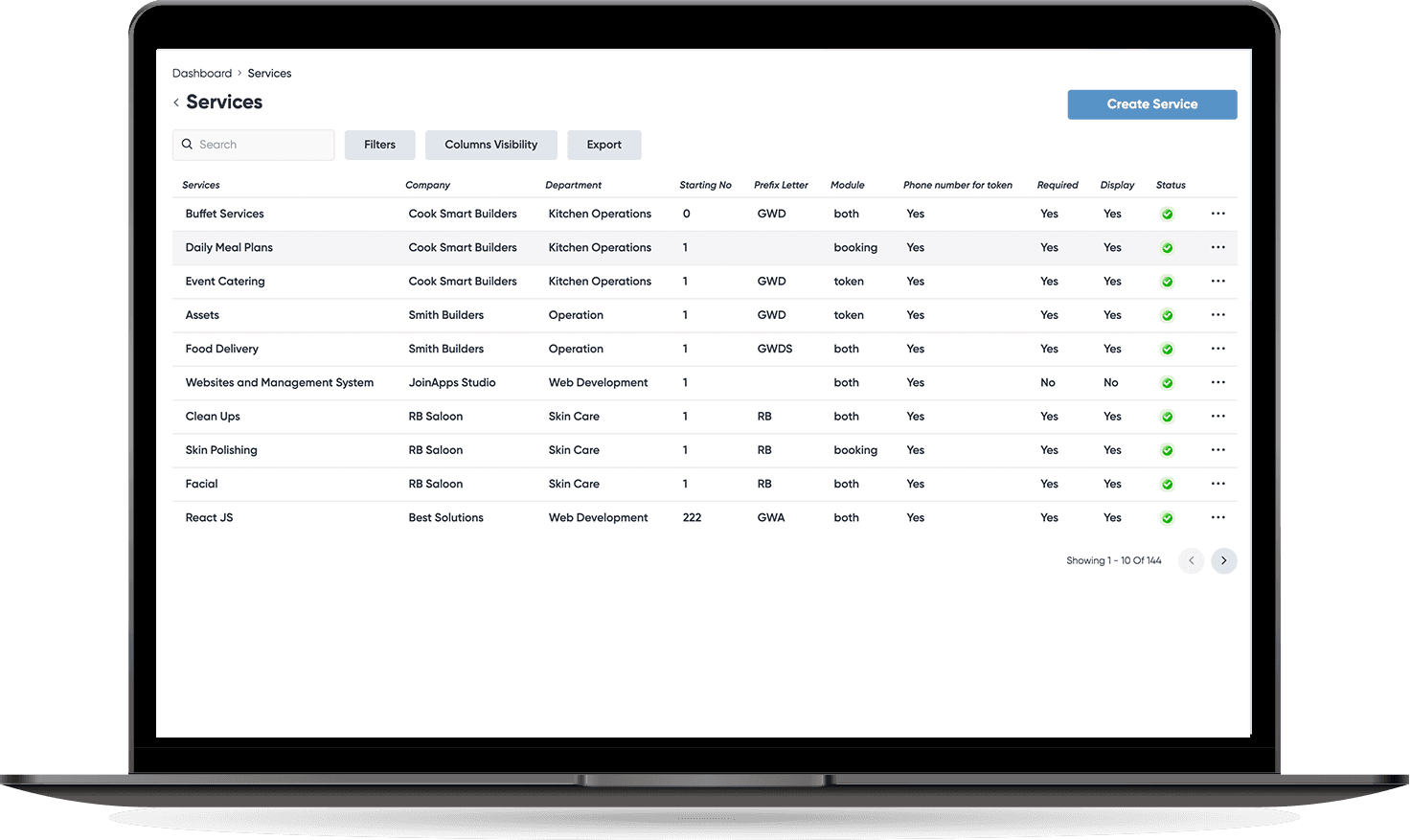
Multi-Service & Multi-Department Management
- Manage unlimited services across different departments in one system
- Assign staff or resources to specific services for better allocation
- Prevent conflicts by separating schedules per department or branch
- Enable cross-department booking for customers who need multiple services
Smarter Scheduling & Time Management
- Set office hours, holidays, and custom working days per service
- Create buffer times between bookings to avoid overlaps
- Allow real-time rescheduling and cancellations without admin overhead
- Reduce no-shows with automated reminders and live notifications
Full Customization for Services & Forms
- Add unlimited custom fields to capture service-specific information
- Configure service duration, pricing, and capacity as needed
- Customize booking forms to match your business requirements
- Adapt services quickly to seasonal demand or operational changes
4. Automated Communication & Insights
- Send branded booking confirmations and reminders via email & WhatsApp
- Customize message templates to suit your brand voice
- Track customer engagement and response rates from notifications
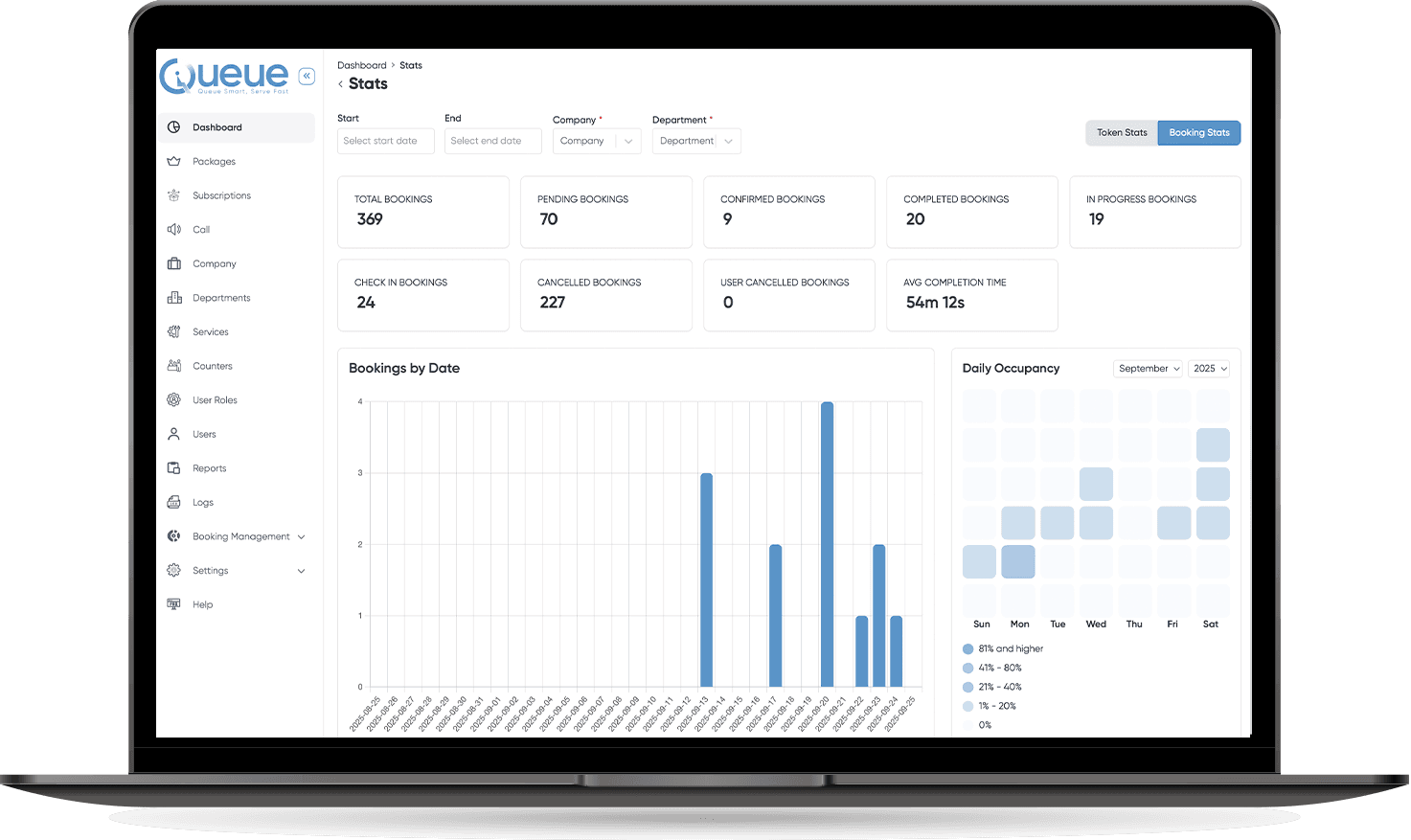
- Generate detailed reports on bookings, cancellations, and peak usage times
Our Smart Queue System is perfect for
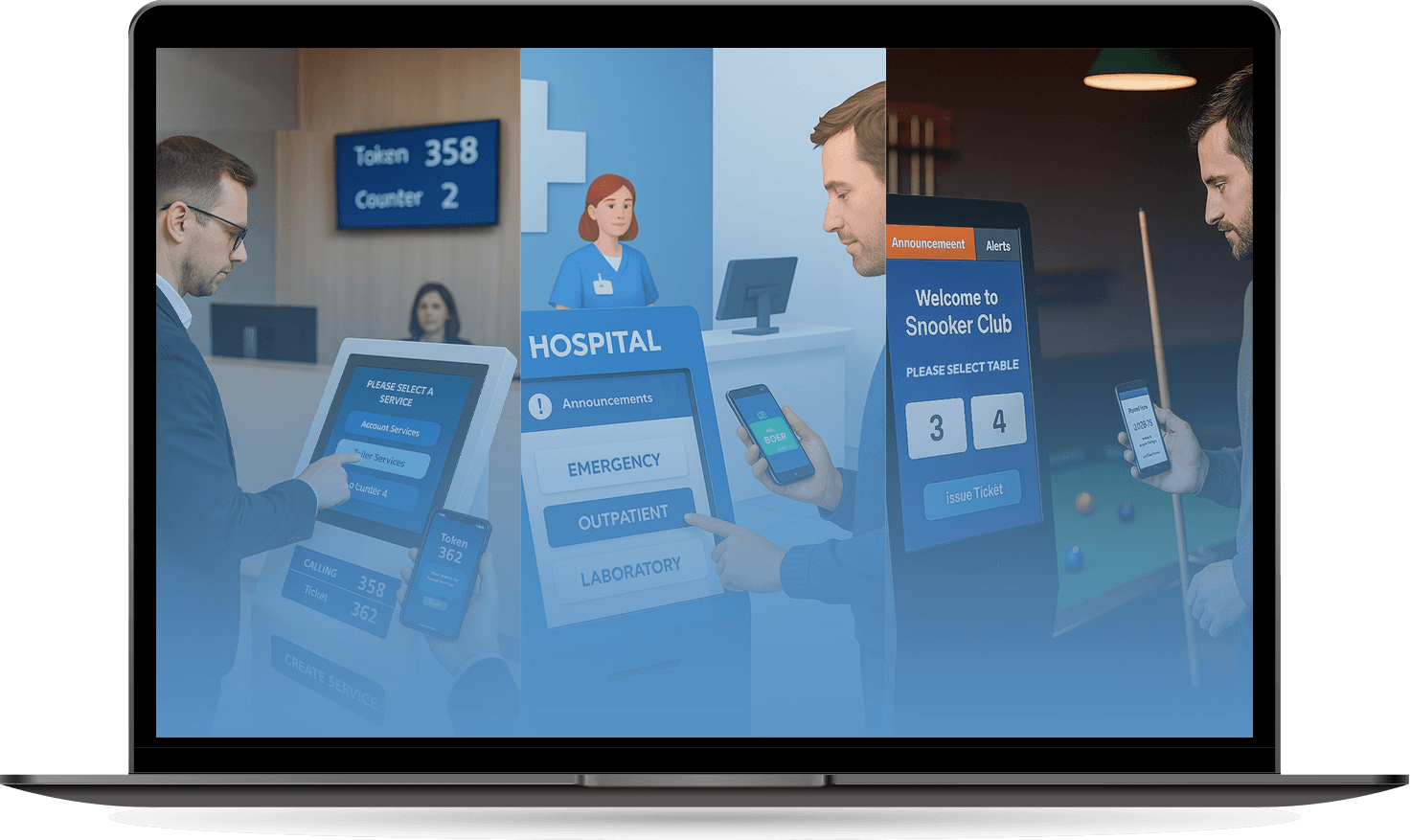
- Delivery Hubs – Tokenize and route incoming riders
- Government Offices – Manage public queues with ID or ticket-based check-ins
- Retail & Service Centers – Organize customer support, returns, repairs
- Clinics & Hospitals – Handle booking and walk-in flows
- Immigration / Registration – Capture ID and form data before service
Features of Booking System

Multi-Service & Multi-Department Support
Easily manage multiple services across various departments. Assign staff, allocate counters, and track progress for every service type, all in one centralized dashboard.

Customizable Reports
Generate detailed reports on office time, service usage, employee performance, and holiday schedules. Make data-driven decisions with accurate insights.

Flexible Service Fields
Create as many custom fields as needed for each service. Collect relevant information from customers and streamline service delivery.

Automated Email & WhatsApp Updates
Keep customers informed at every stage with automated notifications. Customize email and WhatsApp templates to match your brand and service needs.

Easy Appointment Booking
Allow users to select services and dates seamlessly. Start with a simple "7-day free trial" option to attract new users and enhance engagement.

Token Management System
Efficiently issue and track tokens for different departments. Reduce wait times and provide a smooth customer experience with real-time updates.

Admin Dashboard & User Management
Control access, monitor activities, and manage users from a single dashboard. Enable role-based access and maintain system security effortlessly.

Customizable Templates & Branding
Personalize your communication and interface with branded templates for emails, WhatsApp messages, and appointment confirmations. Keep your brand consistent across all touchpoints.

Service Reminders & Notifications
Send timely reminders and alerts to customers about upcoming appointments or token availability. Reduce no-shows and improve overall efficiency.
Simplify Your Booking & Token Management
Manage multiple services, departments, and bookings effortlessly. Keep your customers informed with automated updates via email and WhatsApp, all from a single, easy-to-use dashboard.
Connect with us and streamline your services today!
Why Choose
Queue?
Handle multiple services, departments, and counters from a single, intuitive platform.
Create custom fields, templates, and notifications to fit your business needs perfectly.
Keep customers informed via email and WhatsApp with fully customizable messages.
Generate detailed reports on usage, office time, and employee performance to make smarter decisions.
Customers can effortlessly book services and select dates, making your operations smoother and more efficient.